Agency portal overview
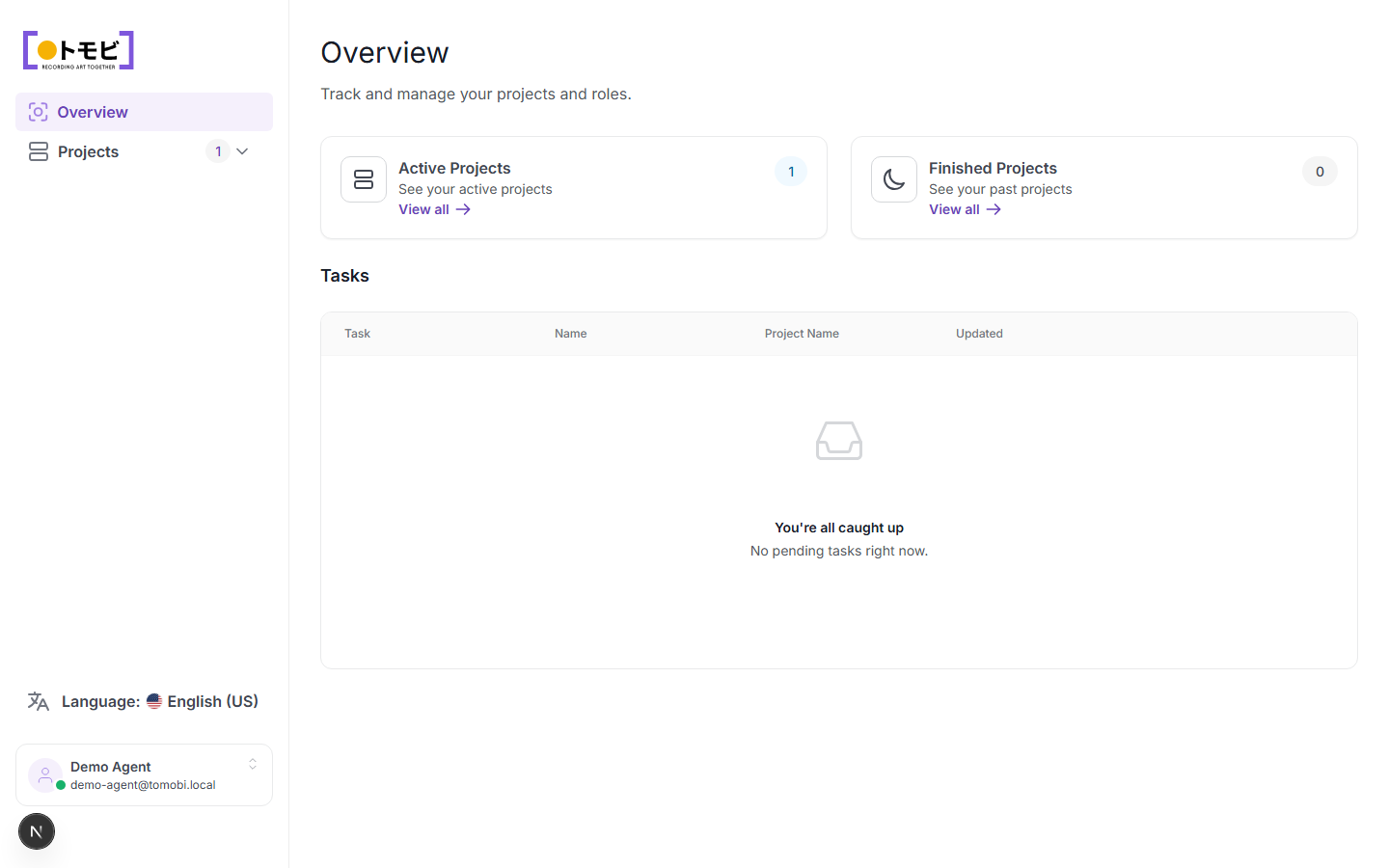
The agency portal is where you manage everything on behalf of the talents you represent. After signing in you land on the Overview page, which gives you a quick read on your workload: active projects and any pending tasks waiting for a response.
Sign in with a one-time code
You sign in to the agency portal using your work email address — no password is needed. When you go to the portal, enter the email address your agency account is registered under. Tomobi sends a one-time code to that address. Enter the code on the next screen and you're in. The code expires after a short time, so use it promptly.
If you don't receive the email within a minute or two, check your spam or junk folder. The email is sent from support@tomobi.jp.
What you see on the overview
The overview has two sections:
Active and finished projects
Two summary cards show how many projects your agency is currently involved in:
- Active Projects — projects where casting is open or ongoing. Click View all to go to the full projects list.
- Finished Projects — projects that have wrapped or been closed. Click View all to browse past work.
Tasks
Below the project cards is the Tasks table. A task appears here whenever a casting director sends your agency a request — for example, asking you to book an audition slot or confirm a talent's availability. Each row shows the task type, the talent's name, the project name, and when it was last updated.
When you have no outstanding tasks, the table shows "You're all caught up — No pending tasks right now."
Navigate the portal
Use the left sidebar to move between sections:
- Overview — this page.
- Projects — the full list of projects your agency is invited to, with filters and talent counts.
Your account name and email address appear at the bottom of the sidebar. Click the language selector to change the portal language.