Shooting schedules
Once a casting director has issued a call sheet for a shooting, you can see the full schedule details for any of your represented talents who are in the cast. This tells you exactly when and where the talent needs to be on the day.
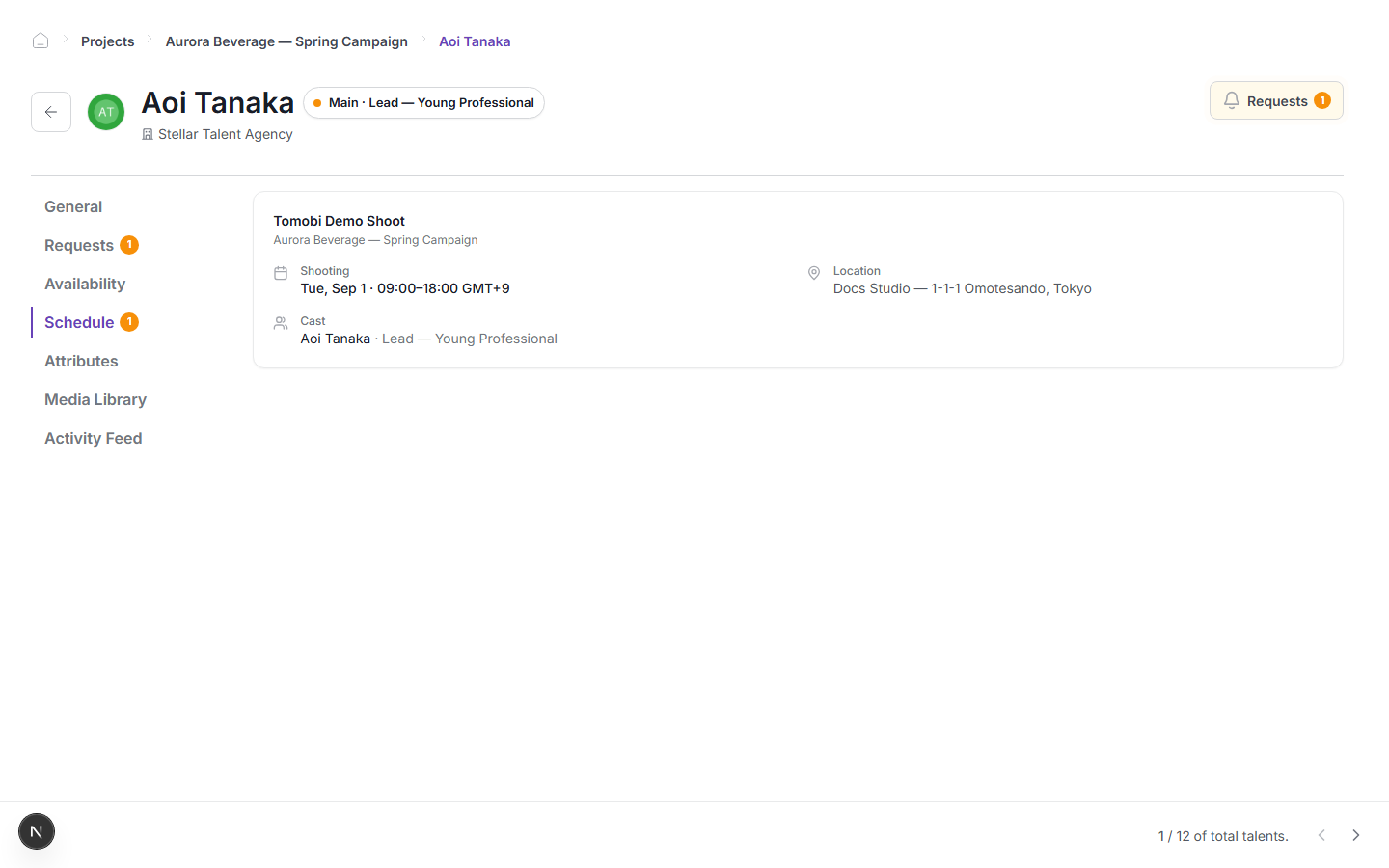
Find a talent's schedule
- Go to Projects in the left sidebar.
- Click the project you want to check.
- Find the talent in the project view and click their name to open their detail panel.
- In the talent detail panel, click the Schedule tab.
The Schedule tab lists every shooting this talent is cast in for this project. Each shooting card shows:
| Field | What it shows |
|---|---|
| Shooting name | The name of the shooting, for example "Tomobi Demo Shoot". |
| Project | The project the shooting belongs to. |
| Shooting date and time | The day, start time, and end time, including the timezone (for example, Tue, Sep 1 · 09:00–18:00 GMT+9). |
| Location | The venue name and address (for example, Docs Studio — 1-1-1 Omotesando, Tokyo). |
| Cast | The talent's name and the role they are playing. |
Check pending requests
If a badge appears on the Requests tab in the same talent detail panel, there is a request waiting for your response. Click the tab to see what the casting director is asking for, then respond as described in Answering a request.
note
The schedule tab is only populated after the casting director has sent the call sheet. If the tab is empty, the call sheet has not been issued yet for that shooting.