Emails you'll receive
Tomobi sends you emails at two key moments: when a casting director invites you to apply, and when your audition slot is confirmed. Here's what each email looks like and what to do next.
Casting call email
You receive this email when a casting director sends a casting-call link to you or your agency. It arrives with a CASTING CALL label at the top.
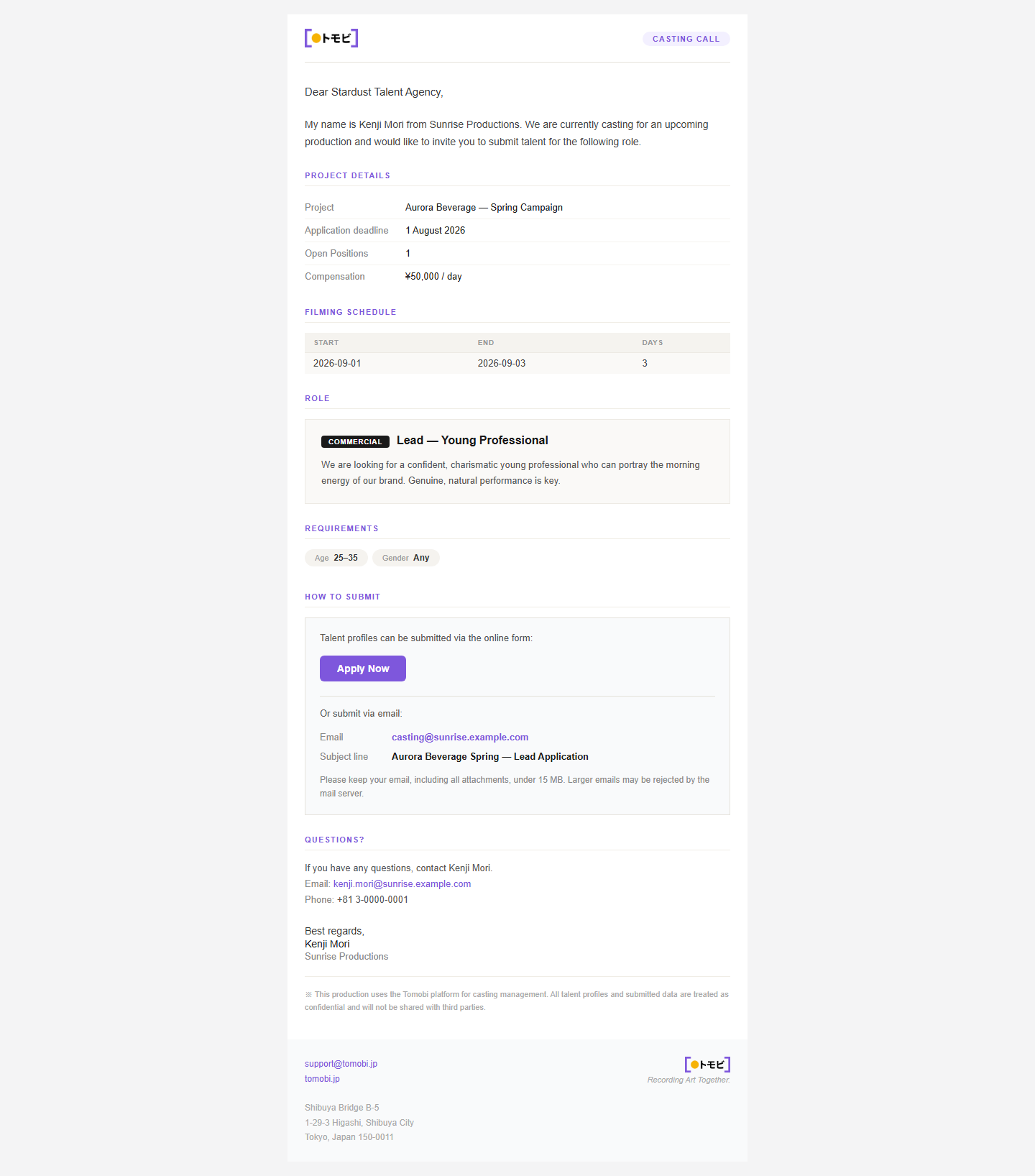
The email includes:
- Project details — the project name, application deadline, number of open positions, and any compensation information.
- Filming schedule — the planned shoot dates, shown as a start date, end date, and number of days.
- Role — a description of the role you're being considered for.
- How to submit — a link or instructions for sending your application. Click the link to open the application form and submit your details.
- Questions? — the casting director's contact email in case you need to ask something before applying.
What to do: open the submission link in the email and fill in the application form. See Submitting to a casting call for a step-by-step walkthrough.
Audition booking confirmation
You receive this email once an audition slot has been confirmed for you. It arrives with an AUDITION CONFIRMED label at the top.
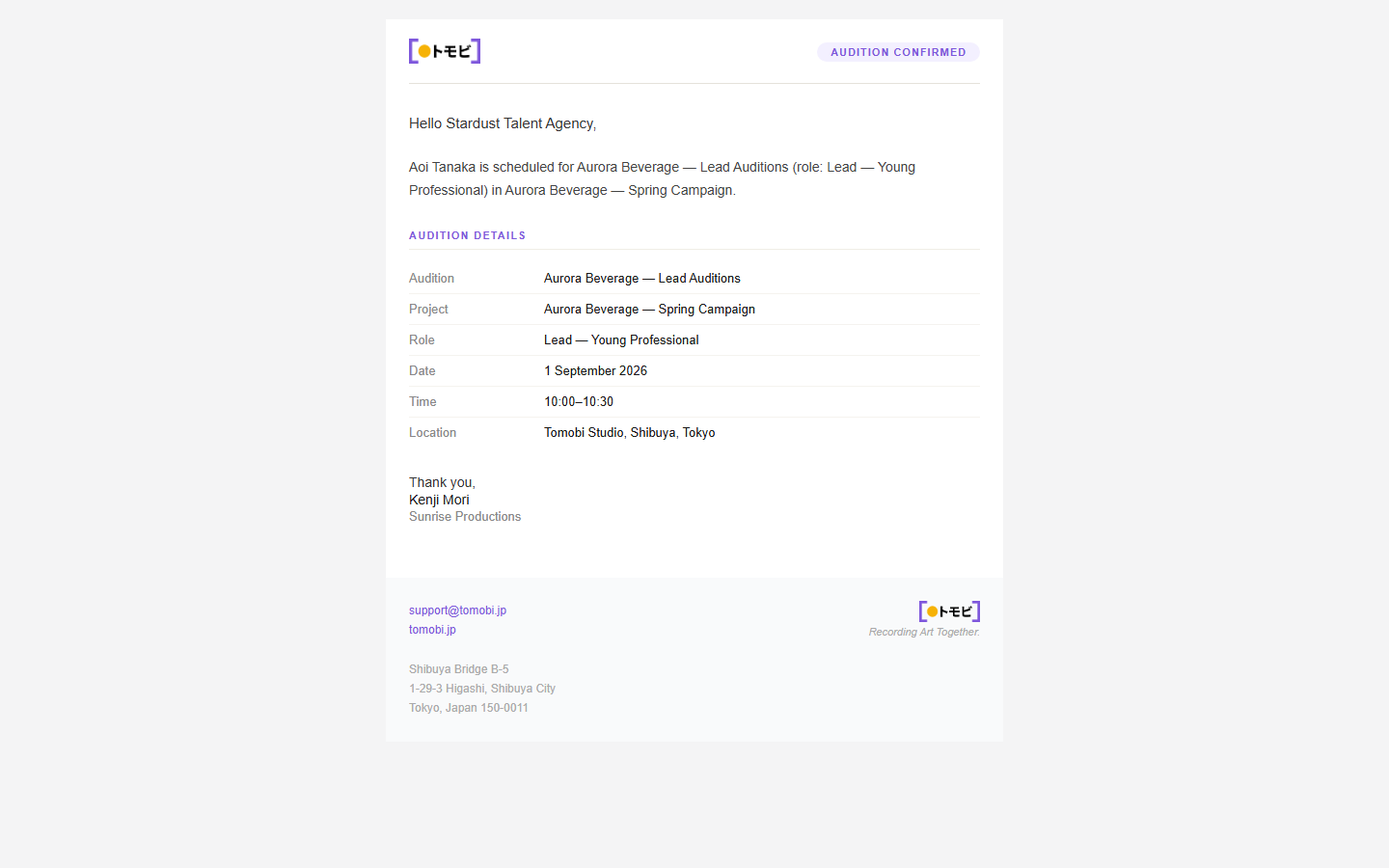
The email confirms that your audition is booked. It shows the date, time, and location of the audition, the role name, and the project — everything you need to prepare.
What to do: note the date and time, add it to your calendar, and follow any instructions in the email. If you need to cancel or have questions, reply to the casting director using the contact details provided.
If you expected a confirmation email but haven't received it, check your spam or junk folder. The email is sent from support@tomobi.jp.