Agency portal overview
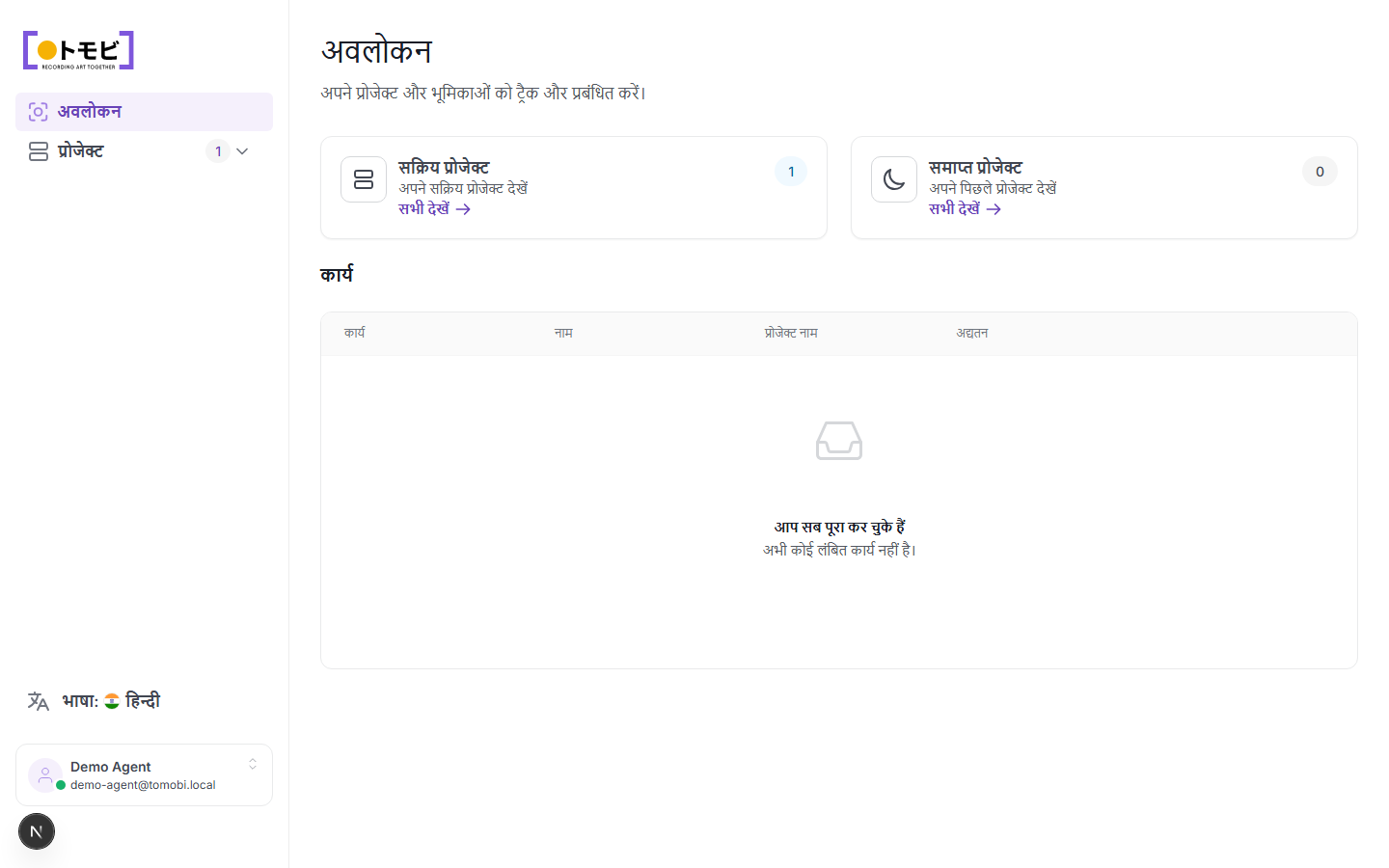
Agency portal वह जगह है जहाँ आप उन talents की ओर से सब कुछ manage करते हैं जिनका आप representation करते हैं। Sign in करने के बाद आप Overview page पर पहुंचते हैं, जो आपके workload का quick snapshot देता है: active projects और कोई भी pending tasks जो response का इंतज़ार कर रहे हैं।
One-time code से sign in करें
आप agency portal में अपने work email address से sign in करते हैं — कोई password की ज़रूरत नहीं है। Portal पर जाकर वह email address enter करें जिसके under आपका agency account registered है। Tomobi उस address पर एक one-time code भेजता है। अगली screen पर code enter करें और आप अंदर आ जाते हैं। Code कुछ समय बाद expire हो जाता है, इसलिए इसे तुरंत use करें।
अगर एक-दो मिनट में email नहीं आती, तो अपना spam या junk folder check करें। Email support@tomobi.jp से भेजी जाती है।
Overview पर क्या दिखता है
Overview में दो sections हैं:
Active और finished projects
दो summary cards दिखाते हैं कि आपकी agency currently कितने projects में involved है:
- Active Projects — ऐसे projects जहाँ casting open या ongoing है। Full projects list पर जाने के लिए View all click करें।
- Finished Projects — ऐसे projects जो wrap हो चुके हैं या closed हो गए हैं। Past work browse करने के लिए View all click करें।
Tasks
Project cards के नीचे Tasks table है। जब भी कोई casting director आपकी agency को request भेजता है — उदाहरण के लिए, audition slot book करने या talent की availability confirm करने के लिए — यहाँ एक task दिखाई देता है। हर row में task type, talent का नाम, project का नाम, और कब last update हुआ दिखता है।
जब कोई outstanding task नहीं होती, table दिखाता है "You're all caught up — No pending tasks right now।"
Portal navigate करें
Sections के बीच move करने के लिए बाईं sidebar का उपयोग करें:
- Overview — यह page।
- Projects — आपकी agency को जिन projects में invite किया गया है उनकी full list, filters और talent counts के साथ।
आपका account नाम और email address sidebar के नीचे दिखते हैं। Portal language बदलने के लिए language selector click करें।