Auditions और fittings
Tomobi में एक audition एक scheduled event है जिसमें एक या अधिक time windows होती हैं। हर window slots में बंटी होती है, और talents (या उनकी agencies) individual slots में book होती हैं। Fittings भी इसी structure को follow करती हैं।
Audition बनाएं
Auditions tab project की हर audition और fitting list करती है। हर row में नाम, current status, type (Audition या Fitting), date range, और configure किए गए time windows की संख्या दिखती है। किसी particular stage पर focus करने के लिए All / New / Scheduled / Done / Expired / Cancelled filter tabs use करें।
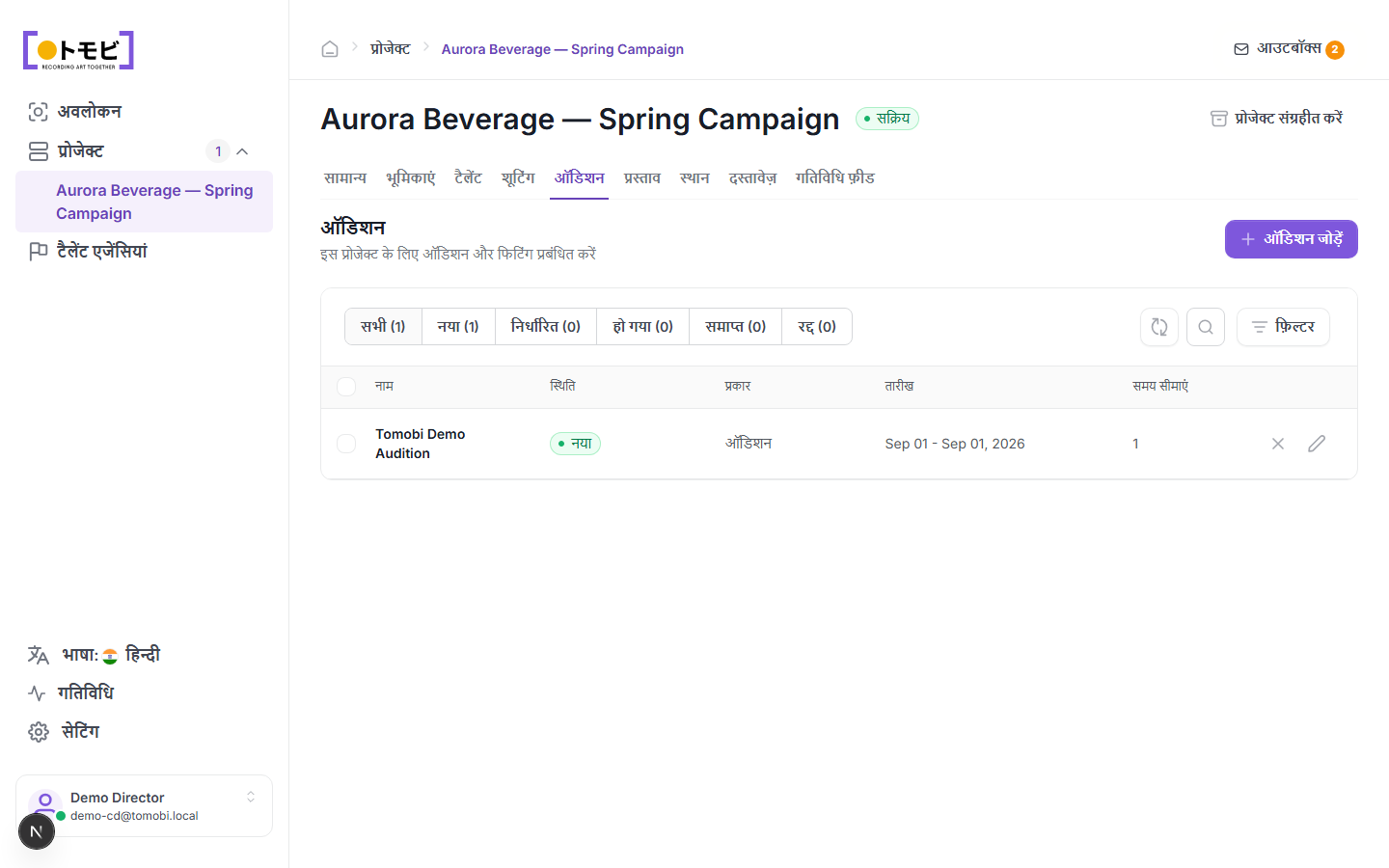
- अपना project खोलें और Auditions tab click करें।
- ऊपर-दाईं तरफ + Add Audition चुनें।
- Audition का नाम, location, overall date range, और time window enter करें।
- Save करें। Audition New status के साथ दिखेगी।
Time windows (timeslots) जोड़ें
हर audition में एक या अधिक time windows होती हैं। एक window fixed number of individual slots वाले time block को define करती है।
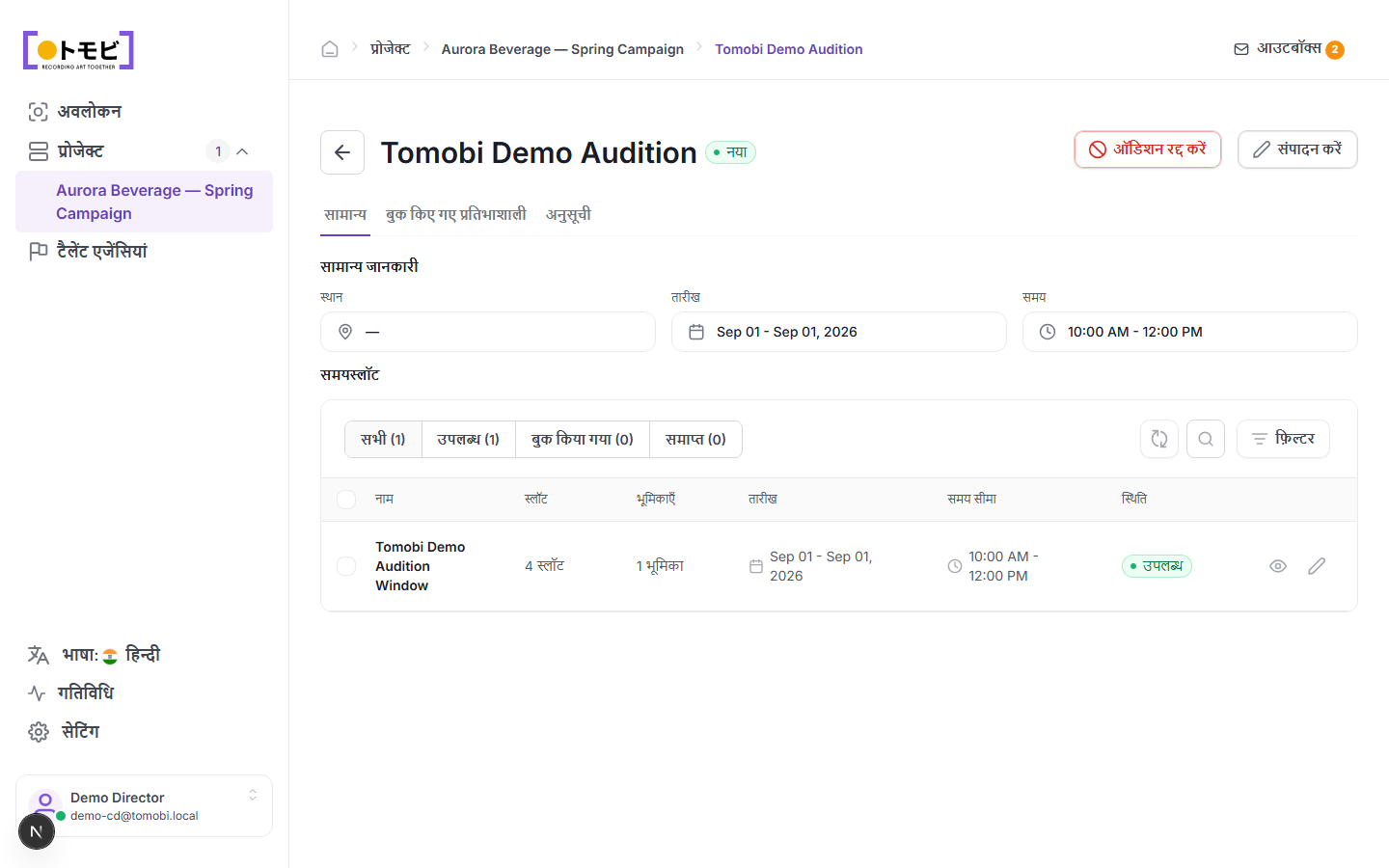
- Audition खोलें और General tab पर जाएं।
- Timeslots section में, + Add timeslot चुनें (या pencil icon से existing window edit करें)।
- Window का नाम, date, time range, slots की संख्या, और यह window किन roles पर apply होती है, set करें।
- Agencies को अपने talents को खुद book करने देने के लिए window को Available set करें।
ऊपर के उदाहरण में, "Tomobi Demo Audition Window" में 4 slots हैं, 1 role cover करती है, और Available set है — जिसका अर्थ है agency अपने talent को slot manually assign करने के आपके इंतज़ार के बिना book कर सकती है।
Time window के अंदर
Window का नाम click करके उसका detail view खोलें। Left panel सभी individual Audition Slots उनके time, assigned role, और booking count के साथ list करती है। Right panel में दो tables side by side दिखती हैं:
- Booked Talents — slot में confirm हुए talents, उनकी role और current stage के साथ।
- Available Talents — shortlisted talents जो window के लिए eligible हैं लेकिन अभी book नहीं हुए। आप यहाँ से Book button से किसी को भी directly book कर सकते हैं।
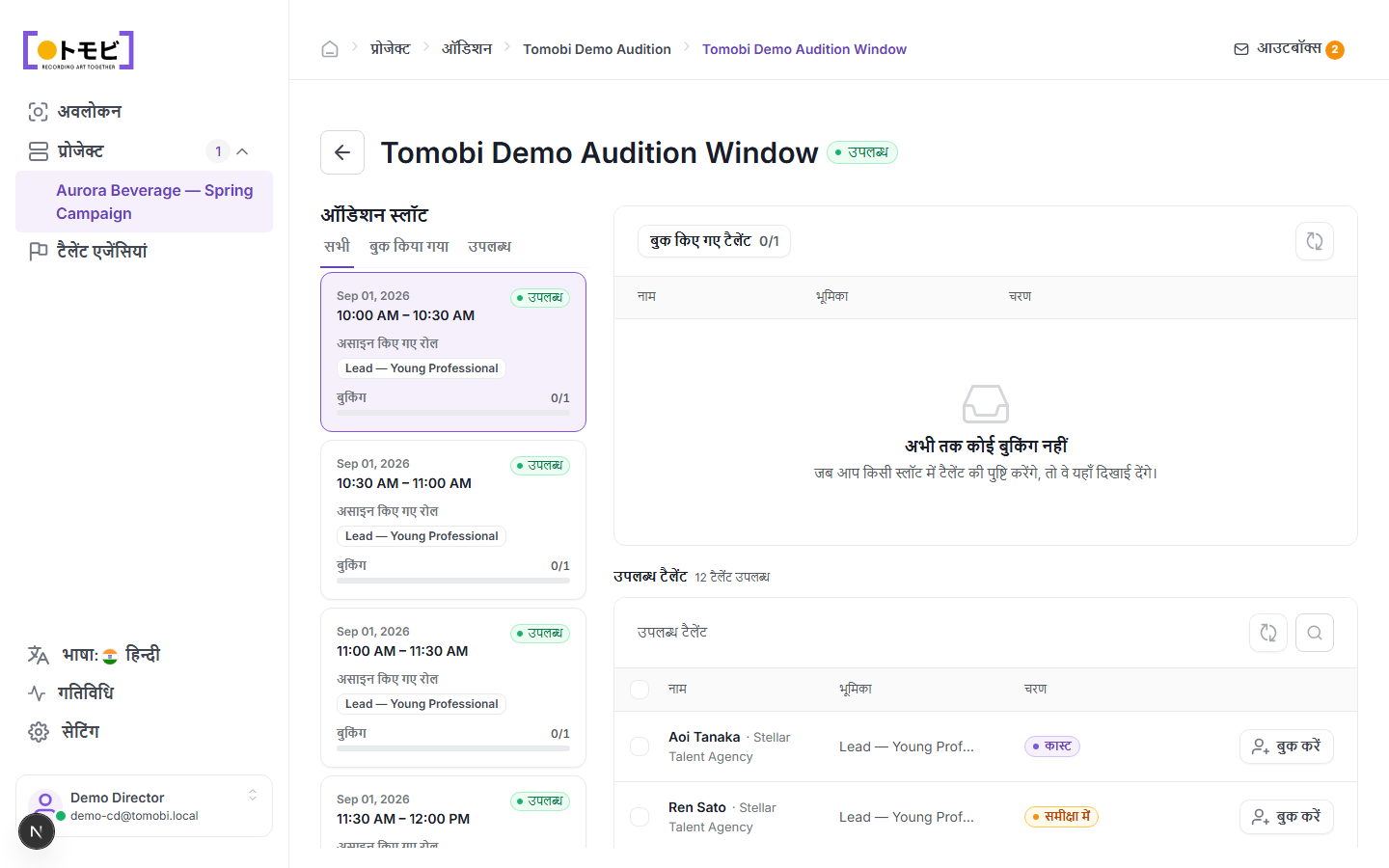
Slot list में All / Booked / Available tabs use करें ताकि केवल वे slots दिखें जिन पर action लेना है।
Check करें कि किसने book किया
Booked Talents tab click करें और देखें कि हर slot के लिए कौन सा talent confirm हुआ है, वे किस time में book हैं, और उन्होंने किस role के लिए apply किया था।
Full schedule देखें
Schedule tab सभी windows में सभी slots का timeline view दिखाता है, ताकि आप एक नज़र में देख सकें कि दिन कैसे भर रहा है।
Audition edit या cancel करें
- Edit — audition details या timeslot configuration बदलने के लिए ऊपर-दाईं तरफ Edit button चुनें।
- Cancel Audition — पूरी audition cancel हो जाती है। Booked talents और उनकी agencies को notify किया जाएगा।
किसी talent को slot में book करें
आप किसी talent को उनकी talent profile से सीधे book कर सकते हैं: Create Request चुनें, audition type choose करें, slot pick करें, और request आपके भेजने के लिए outbox में draft हो जाएगी। Request accept होने के बाद slot count Available से Booked में update हो जाता है।