Talent profile
Talents board से किसी talent का नाम click करने पर उनकी full profile खुलती है। यहाँ आप किसी specific role के लिए candidate के बारे में सब कुछ review करते हैं — उनका stage, attributes, availability, photos, और आपके द्वारा भेजे गए requests।
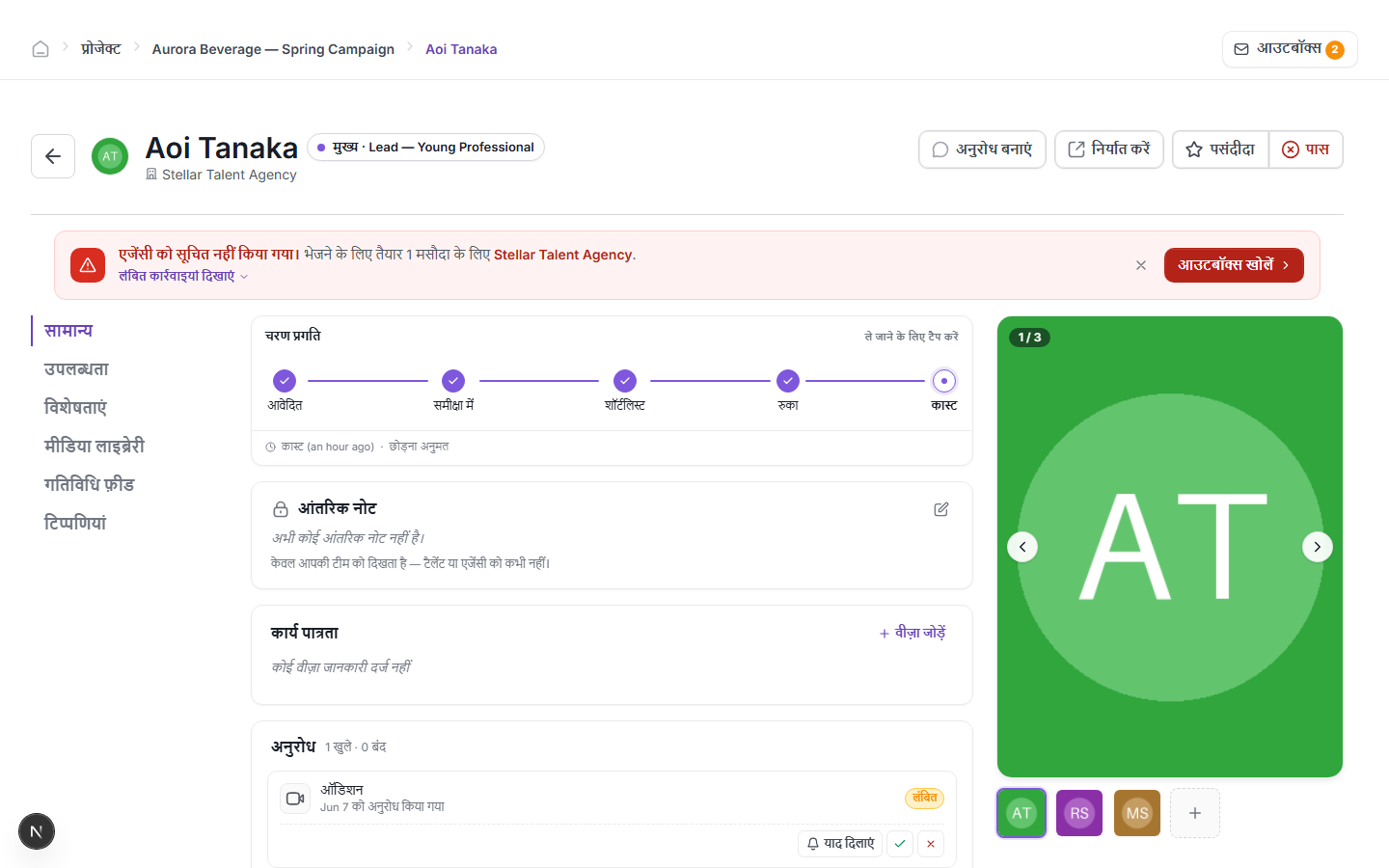
Profile sections
Profile के sections के बीच navigate करने के लिए बाईं तरफ navigation का उपयोग करें:
- General — stage progress, internal note, work eligibility (visa), और open requests।
- Availability — talent की stated availability dates।
- Attributes — measurements, experience, languages, और अन्य profile data।
- Media Library — इस talent द्वारा submit किए गए या उनके लिए upload किए गए सभी photos, videos, audio, और documents।
- Activity Feed — project में इस talent पर की गई हर action का log।
- Comments — आपकी team के internal comments (talent या उनकी agency को कभी दिखाई नहीं देते)।
Stages में आगे बढ़ें
General tab के शीर्ष पर Stage progress bar पाँच steps दिखाता है: Applied → Reviewing → Shortlisted → Hold → Cast। सभी भरे हुए circles का मतलब है talent उस stage से गुज़र चुके हैं। Current stage सबसे दाईं तरफ active step है।
Talent को advance करने के लिए TAP TO MOVE चुनें। Stages किसी भी दिशा में skip किए जा सकते हैं — bar के नीचे note बताता है कि current transition के लिए skipping allowed है या नहीं।
Internal note छोड़ें
Internal note card केवल आपकी team को दिखाई देता है — इसे talent या उनकी agency के साथ कभी share नहीं किया जाता। Note लिखने या update करने के लिए edit icon click करें।
Photos और media review करें
सभी submitted और uploaded files देखने के लिए बाईं navigation में Media Library चुनें।
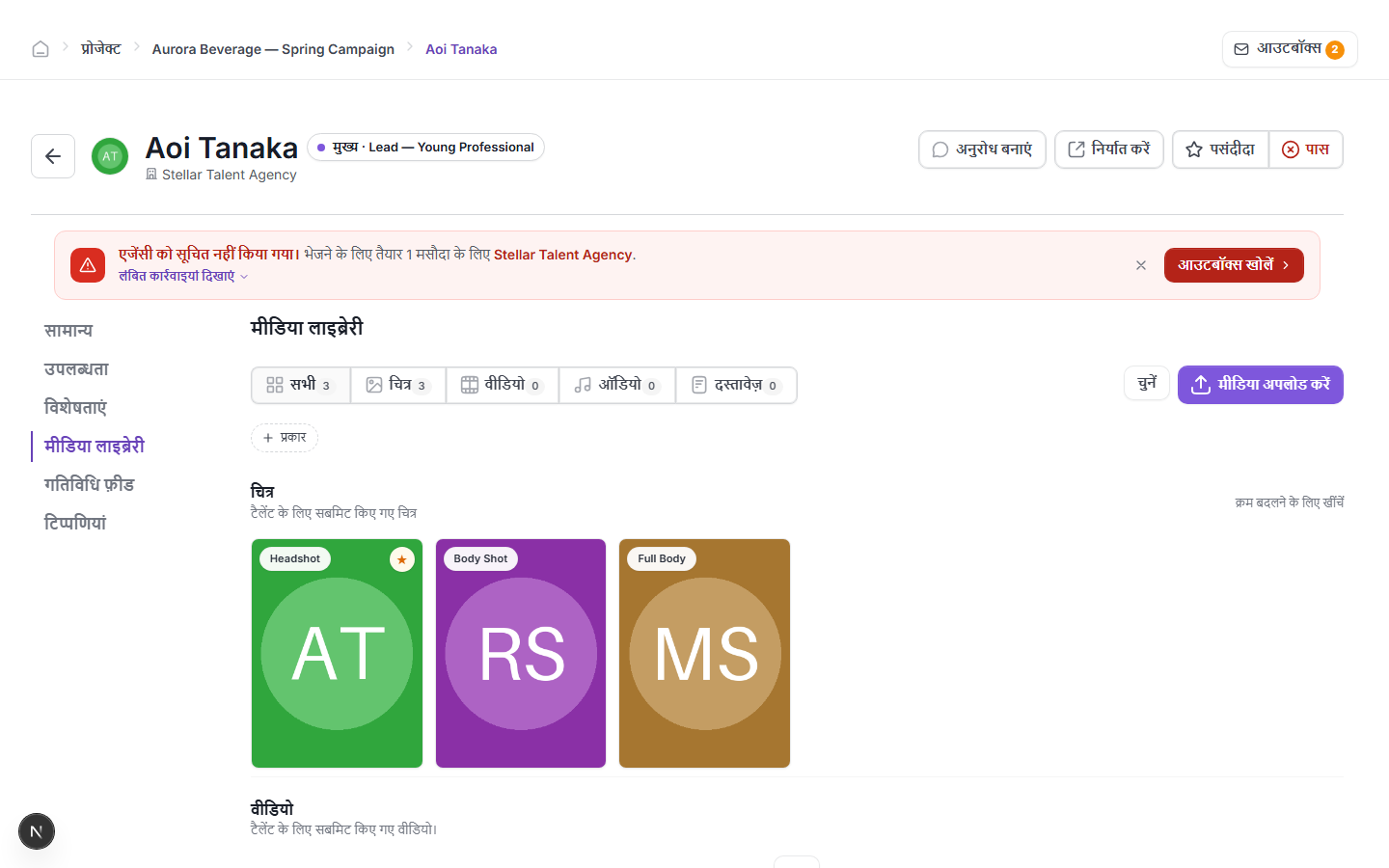
Files type के अनुसार grouped हैं: Pictures, Videos, Audio, और Documents। जो picture starred है वह talent का profile photo है। Pictures को reorder करने के लिए drag करें। Files सीधे talent की library में add करने के लिए Upload media का उपयोग करें, या export जैसे किसी action के लिए existing files choose करने के लिए Select का उपयोग करें।
Request बनाएं
इस talent या उनकी agency को formal request भेजने के लिए — जैसे audition invitation या hold confirmation — profile के शीर्ष पर Create Request button का उपयोग करें। Requests भेजे जाने से पहले outbox से गुज़रती हैं। देखें Sending requests and the outbox।
अन्य actions
- Export — इस talent की profile का PDF या data export download करें।
- Favorite — quick reference के लिए talent को favourite mark करें।
- Pass — talent को Out stage में move करें, जो दर्शाता है कि उन पर अब विचार नहीं हो रहा।
Agency notification banner
अगर कोई message draft हो गया है लेकिन talent की agency को अभी नहीं भेजा गया, तो profile के शीर्ष पर एक red banner दिखाई देता है: "Agency not informed — N draft ready to send for [Agency name]।" Draft तुरंत review करके भेजने के लिए banner में Open Outbox चुनें।